Will you be my Valentine website
A “Will you be my Valentine?” website sounds like a project. It is not one. It is a single page with one question on it, at its own address, which you send as a link and which the other person opens and answers. There is nothing to build, host or install, and nothing for them to sign up for. The only real work is deciding what the page should say and when to send it, and that is the part most guides skip. What follows is what the page actually is, what to put on it, how the buttons behave, and the few choices that decide whether it lands as sweet or as a lot.
What a Valentine website actually is
When people search for this they usually picture one of two things. One is a whole site, with several screens and a story and a countdown. The other is a template you copy from a code repository and have to deploy yourself, which is a fine weekend project and a poor way to ask someone out by Thursday.
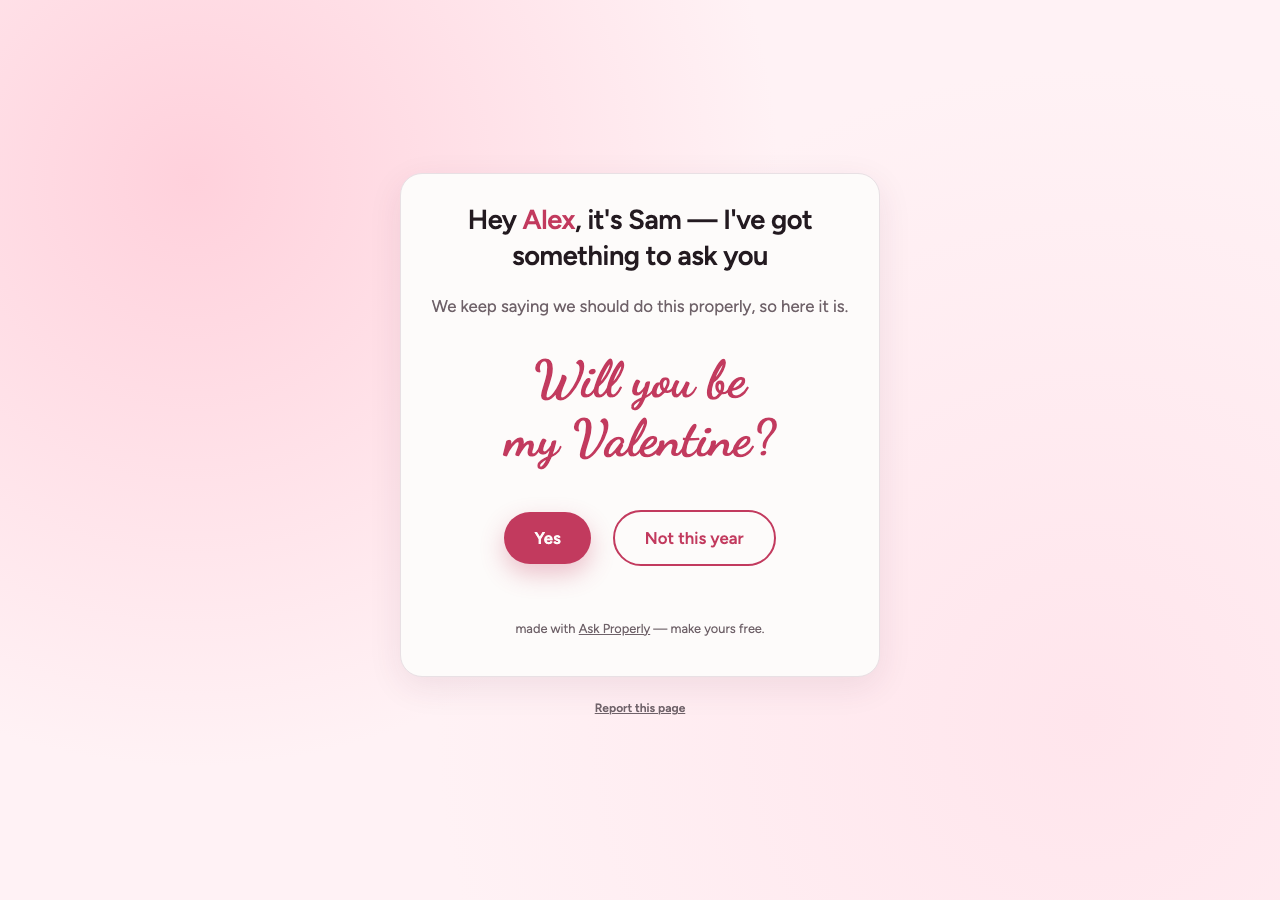
The version that works for most people is much smaller. It is one page. At the top is a line from you, in the middle is the question, and underneath are two buttons. They open the link, they read it, they tap an answer, and you find out. That is the whole thing, and the smallness is the point: nobody has to learn how it works, and nothing on it competes with the question.
It also does one thing a text cannot. A text sits in a thread, between a delivery notification and a message from their mother, and gets answered while they are doing something else. A page gets opened on purpose. They look at it and only it, which is the closest you can get to saying it to their face without being in the room.
What to put on it
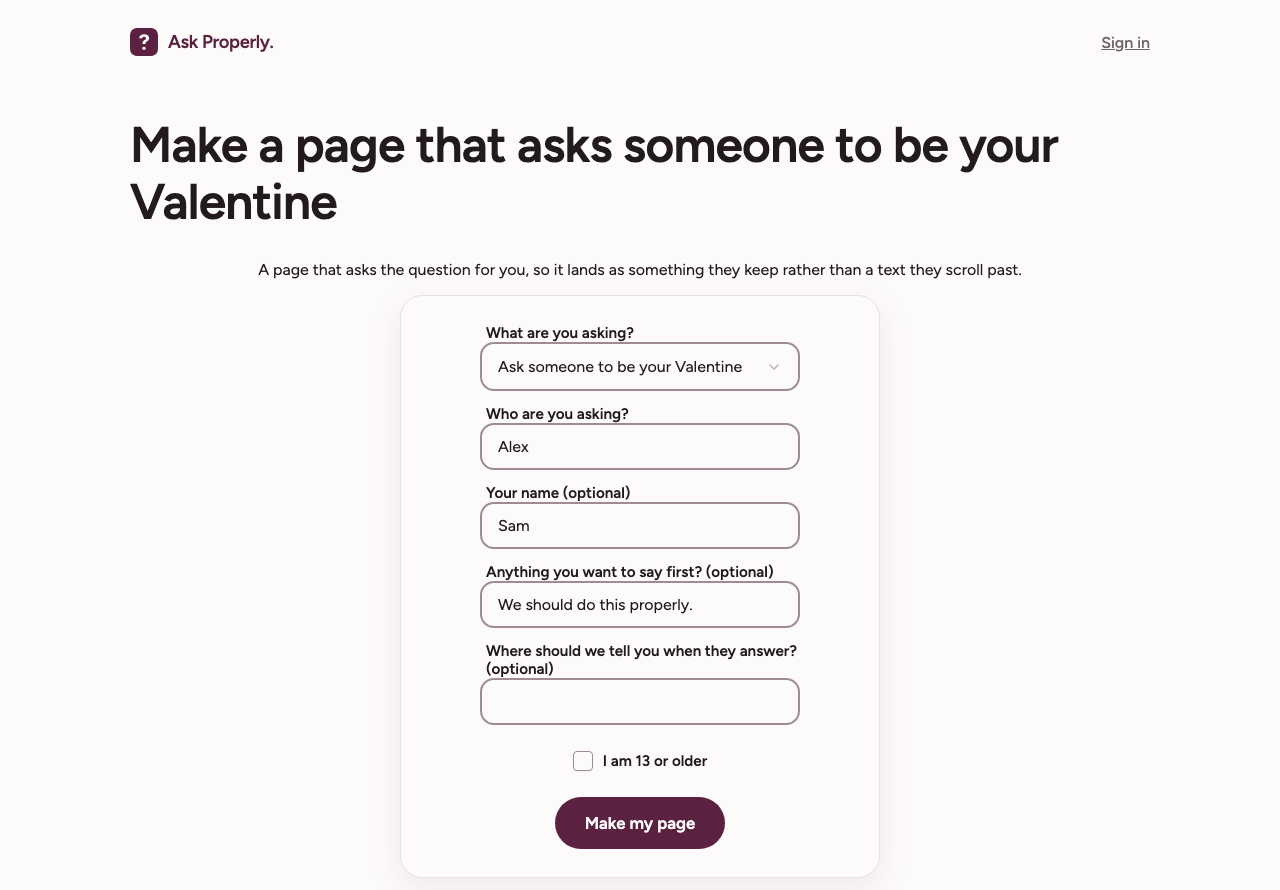
There are only three things to decide: who it is from, the line above the question, and whether to let them add a note back. The question itself is already there, and on the Valentine version it reads “Will you be my Valentine?” in a script face, with a Yes button and a No button that says “Not this year”.
The line above the question is where the page stops being a template. The built-in one is deliberately plain: “No grand speech. I just wanted to ask you properly rather than send a text like everyone else.” Keep it if it sounds like you. If it does not, replace it with one sentence about them that could not be about anyone else. A thing that happened beats an adjective every time.
Here is a made-up example. Alex has known Sam since September, they sit near each other in a seminar, and Alex is fairly sure it is mutual and not at all sure. Alex writes: “You are the only person who laughed at that lecture. Will you be my Valentine?” That is the whole message. It is specific, it is short, it asks one thing, and it does not pretend to be bigger than it is.
There is an optional box where they can write back, with a prompt of “What should we do?”. It is worth leaving on. A yes with a suggestion attached, even just “dinner, somewhere quiet”, turns a button press into the start of a plan.
You can add an email address to be told when they answer. It is optional. If you would rather simply check back later, leave it blank.
About the No button
On the Valentine page the No button runs away from the cursor. It is a joke, and it keeps the whole thing light, which is the right tone for a question this size. Nobody is trapped by it: they can close the page and tell you in person whatever they would have said.
If you know the person well enough to know that would land badly, it is worth thinking about before you send. Some people find a playful dodge charming and some find it faintly like being steered. You are the one who knows which they are.
The honest reading of a no, whichever way it arrives, is the same as it is for any ask: it is a smaller fact than it feels like. Thank them, mean it, and do not make them manage your disappointment. The page is a way of asking properly, not a way of making a no impossible.
When to send it, and where
Send it to them alone. The link is the whole privacy of the page, so put it in a direct message, not a group chat, and not anywhere other people read over their shoulder. A page asked in front of an audience stops being the quiet thing you made.
Earlier in the week is kinder than the night before. A question on a Tuesday is a question. The same question at eleven on the thirteenth is a question plus a deadline, and they have to separate the two before they can answer.
Think about when they will actually open it. If they are on the other side of the world, they will open it in their own timezone, so there is no sense in aiming for a particular minute. The long-distance guide below goes into the logistics.
And do not send it straight after something hard in their week. This is the most commonly ignored piece of timing advice there is, and it applies to a page exactly as much as to a sentence.
What it costs, and what happens to it
Making the page and sending it are free. There is no account for them to create and nothing for them to install. A free page is deleted 30 days after you make it, so if you want to keep it, take a screenshot of the answer.
The page carries one quiet line about what made it and nothing else, which is why it reads as something you made rather than something you bought. It is not listed anywhere and it is not indexed by search engines, so the link is the only way to it. It is for people aged 13 and over.
There is one optional extra, a one-time $9 unlock, which adds the detail of how your ask landed. You do not need it to ask. Plenty of people never will.
If a website is not the right move
A page is not for everyone, and it is not the right answer when you are already standing in front of the person. If you can say it out loud, in one sentence, to their face, nothing here beats that. Everything on this list exists because most of us cannot, most of the time.
If you want to keep it in a message, the guide to asking over text covers the wording. If it is a first Valentine with someone, the guide to asking for the first time covers what to do about the nerves. A page is one tool among several, and the best one is the one you will actually send.